


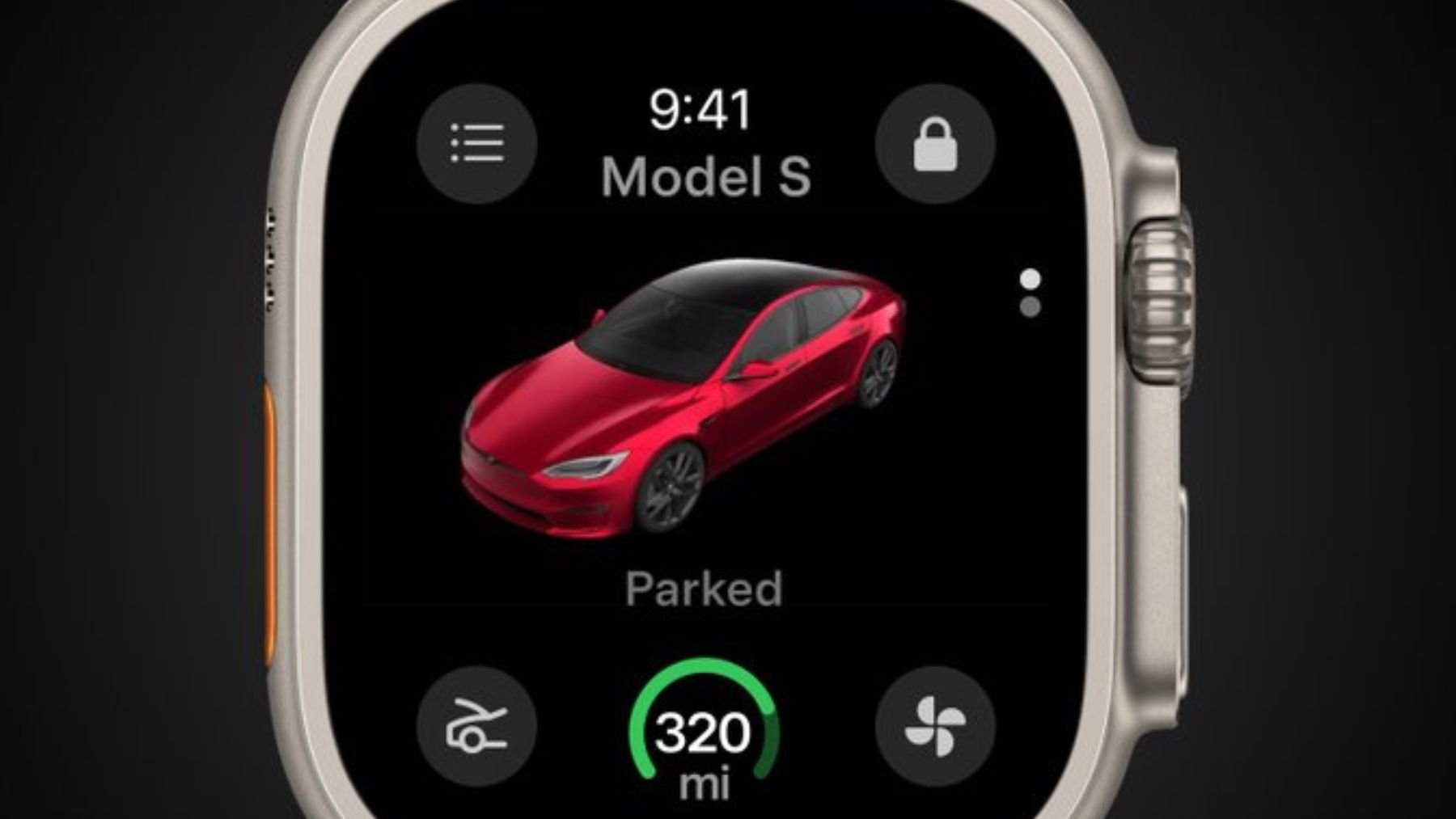
Tesla’s move to integrate Apple Watch support into its ecosystem makes everyday car interactions far more seamless and stress-free. By shifting essential functions to the wrist, the system allows drivers to handle quick tasks, access the vehicle, and check on key information without depending on their phone. The experience focuses on simplifying those routine moments when convenience matters most.
Alongside Apple Watch functionality, Tesla is expanding a range of tools that enhance security, entertainment, and overall vehicle control. These additions refine how drivers monitor recordings, customize their screens, and receive alerts, all while keeping the focus on intuitive interactions and smoother day-to-day use.
What Tesla’s Apple Watch integration actually allows you to do
With the Apple Watch acting as a native phone key, drivers can unlock the car, pop the frunk, warm up the cabin, or check charge levels directly from the watch display. This reduces the need to carry a smartphone for simple tasks—especially helpful when stepping outside briefly or realizing too late that the phone was left behind. The watch interface now brings together actions that previously required third-party smartwatch apps, giving drivers a consistent and official option built into Tesla’s ecosystem.
Another major addition is the ability to view Dashcam and Sentry Mode recordings from the phone. Drivers can watch clips, review incidents, and save 30-second segments directly to their device, making it easier to share footage with insurance or police when needed. This remote access adds practicality to Tesla’s security system, eliminating the need to sit inside the vehicle to check what happened.
Tesla also expands visual and entertainment features, especially for Cybertruck users. The vehicle’s screen can display new custom wraps and license plates, while its 3D model transforms into a Tesla Bot riding in a cyber sleigh for those who like playful touches. Rear passengers gain access to new Arcade games, and the rear camera feed grows larger with pinch-to-zoom controls, giving more clarity when checking surroundings.
The update further extends Tesla’s auto-shift system—previously found on certain models—to newer versions of the Model 3. By predicting whether the driver intends to move forward or reverse, the system attempts to reduce the number of manual inputs needed when maneuvering the car. The goal is to streamline the process, even if the feature replaces a control layout that some drivers were already accustomed to.
How these tools help reduce daily stress
Beyond convenience, shifting essential car controls to the wrist naturally reduces stress during everyday routines. Not needing to reach for a phone, dig through pockets, or walk back to the vehicle simply to open a trunk minimizes those tiny moments of friction that add up throughout the day. By removing extra steps and making access more predictable, the Apple Watch experience helps drivers move through tasks with less tension and more flow.
Stronger safety features for more peace of mind
Tesla adds a valuable safety improvement through rear cross-traffic alerts, which highlight approaching cars or pedestrians on the backup camera with a red bar and audio cues. Music now lowers automatically when reversing, bringing clarity to the environment behind the car. These details help drivers feel more aware and supported when navigating parking lots or tight spaces.
Navigation tools receive their own upgrades too. Drivers can set their preferred arrival energy for the end of a trip, making it easier to plan when charging won’t be available. They can also search for stops along their route and see detour time estimates. Weather and precipitation indicators appear on the destination map, giving extra context before arrival.
More in-car controls, apps, and personalization
Tesla expands its app selection with a dedicated Sirius XM app for multiple models and upgrades to TuneIn. Drivers now get maintenance summaries inside the vehicle, can adjust unoccupied passenger seats directly from the screen, and receive alerts when a door handle is pulled. Entertainment also gets a boost with the party game Boomerang Fu, and Tesla’s well-known “fart app” can trigger the moment someone sits down.
These additions blend practicality, humor, and personalization while keeping the interface approachable and consistent. Each feature—big or small—supports the broader goal of giving drivers quicker access, fewer interruptions, and a more relaxed experience behind the wheel.